 INR (₹)
 USD ($)
Your online store lives or dies by the theme sitting underneath it. A WooCommerce theme is far more than a coat of paint on top of WordPress: it decides how quickly your product pages load, how naturally a first-time visitor drifts from a category listing toward the checkout button, whether a shopper on a cramped phone screen can actually complete a purchase, and how much of your marketing budget quietly leaks away because of friction you never see. Two stores can sell the exact same products at the exact same prices, and the one with a sharper, faster, better-organised theme will out-earn the other month after month. That is the uncomfortable truth every serious store owner eventually runs into.
This guide is a practical, no-nonsense buyer's walkthrough for choosing among the best WooCommerce themes for building a fast, high-converting online store. We will unpack why the decision carries so much weight, which features genuinely move the needle versus which are marketing fluff, who each type of theme suits best, and exactly how to compare candidates without getting dazzled by a pretty demo. We will also talk honestly about free versus premium options, explain the GPL licensing advantage that lets you use premium themes without the eye-watering price tags, and give you a checklist you can keep beside you while you shop. By the end you should be able to look at any theme and know within a few minutes whether it deserves a place on your shortlist.
Why Choosing the Right WooCommerce Theme Matters More Than You Think
WooCommerce is the engine. It handles the cart, the tax calculations, the shipping rules, the payment gateways, and the order records. But shoppers never see the engine directly. What they see, touch, and judge is the theme layered on top of it. That layer is responsible for the first impression, the emotional tone of the brand, and the thousand tiny usability decisions that add up to a sale or an abandoned cart. When people say a store "feels trustworthy" or "feels cheap," they are almost always reacting to theme-level choices they could never articulate.
Consider the economics for a moment. Suppose you spend real money driving traffic to your shop through ads, social media, and search. If your theme loads slowly, buries the "add to cart" button, or renders awkwardly on mobile, a meaningful slice of that hard-won traffic bounces before doing anything. Improving conversion from, say, two percent to three percent does not sound dramatic on paper, yet it represents a fifty percent lift in revenue from the identical traffic. No new ad spend, no new products, no discounts. Just a better foundation. That is the leverage a well-chosen theme provides, and it is why treating this as a throwaway decision is one of the most expensive mistakes a store owner can make.
Speed deserves special mention because it touches everything. Search engines reward fast pages with better rankings, which means more organic traffic at zero marginal cost. Shoppers reward fast pages with patience and attention. Every additional second of load time measurably increases the odds that someone leaves. A bloated theme stuffed with sliders, animation libraries, and decorative scripts might look impressive in a demo, but in the real world it drags your Core Web Vitals down and quietly taxes every single visitor. The right theme is engineered to stay lean even as your catalogue grows into the thousands of products.
There is also the matter of longevity. Rebuilding a store is painful, disruptive, and risky. Migrating hundreds of products, preserving your URLs, retraining your team, and rebuilding your custom pages is not something anyone wants to repeat every year. A theme chosen well can serve you for years, adapting as your catalogue expands and your brand matures. A theme chosen carelessly becomes a cage you spend your evenings fighting against. The stakes are simply higher here than with almost any other single decision in your store's setup.
The best WooCommerce theme is not the one with the flashiest homepage. It is the one your customers barely notice because everything simply works, loads instantly, and guides them effortlessly toward checkout.
The Key Features to Look For in a WooCommerce Theme
Once you understand why the choice matters, the next task is knowing what actually separates a great store theme from a mediocre one. Demos are designed to seduce you, so it pays to look past the hero images and evaluate the underlying capabilities. The following features are the ones that genuinely shape day-to-day performance and long-term flexibility.
Deep, Native WooCommerce Integration
Plenty of themes claim to be "WooCommerce compatible," but there is a wide gulf between a theme that merely tolerates WooCommerce and one that was built around it. Look for native styling of every shop surface: product archives, single product pages, the cart, the multi-step checkout, the account dashboard, order-received pages, and email templates. A theme with genuine integration will style product galleries, variation swatches, quantity selectors, related products, up-sells, and cross-sells so they feel like one coherent design rather than a bolted-on plugin. When integration is shallow, you end up patching mismatched fonts and colours across the very pages where money changes hands.
Performance and Lightweight Code
Speed is not a feature you can bolt on afterward; it has to be baked into the theme's architecture. Favour themes that load minimal CSS and JavaScript, that avoid dragging in heavy frameworks you will never use, and that let you disable features you do not need. Themes that support modern image formats, lazy loading, and conditional asset loading, meaning scripts only load on pages that actually use them, will consistently outperform bloated all-in-one packages. A lean theme is also easier to cache and plays nicely with performance plugins rather than fighting them.
Full Mobile Responsiveness
The majority of ecommerce browsing now happens on phones, and for many stores the majority of purchases do too. A theme that merely shrinks the desktop layout is not enough. You want deliberate mobile design: tappable buttons sized for thumbs, a sticky add-to-cart bar that stays within reach, a streamlined mobile menu, readable typography without pinch-zooming, and a checkout that does not demand endless scrolling. Test the demo on your own phone before you commit, because a layout that looks polished on a wide monitor can fall apart on a small screen.
Visual Customisation Without Code
Your store needs to look like your brand, not like a stock template a thousand other shops are also using. The best themes offer generous customisation through the WordPress Customiser or a modern page builder: control over colours, typography, header layouts, product grid density, and page structure without touching a line of code. Compatibility with popular builders such as Elementor, or with the native block editor, gives you the freedom to design custom landing pages, campaign pages, and storytelling sections as your marketing evolves.
Conversion-Focused Shopping Features
Certain features exist purely to nudge shoppers toward buying, and a strong store theme includes them thoughtfully. Quick-view popups let people preview products without leaving the listing. Ajax add-to-cart adds items without a full page reload. Wishlists capture intent for later. A sticky cart, product-image zoom, live search with suggestions, sales countdown badges, and trust signals near the buy button all reduce friction and hesitation. These are not gimmicks when used with restraint; they are the small conveniences that quietly lift your conversion rate.
SEO-Friendly Structure
A theme influences search rankings more than most owners realise. Clean, semantic HTML, a sensible heading hierarchy, support for structured data on products, fast rendering, and compatibility with leading SEO plugins all help search engines understand and rank your pages. A theme that ships bloated markup or hides content behind heavy scripts can undercut even the best content strategy. Since organic traffic is the cheapest traffic you will ever get, an SEO-ready foundation pays dividends for years.
Compatibility and Ongoing Updates
Your store will inevitably rely on a stack of plugins: payment gateways, shipping calculators, marketing tools, and analytics. A good theme stays out of their way and works smoothly alongside the most popular extensions. Equally important is a track record of updates. WordPress and WooCommerce evolve constantly, and a theme that is actively maintained will keep pace with security patches and new core features. A theme abandoned by its developer becomes a liability the moment a major update breaks it.
Top Use Cases: Who Needs a Great WooCommerce Theme?
WooCommerce is remarkably versatile, and the "best" theme genuinely depends on what you are selling and how you sell it. Understanding which category you fall into helps you filter the overwhelming number of options down to a realistic shortlist. Here are the most common scenarios and what each one demands from a theme.
Fashion, Apparel, and Lifestyle Brands
Visual storytelling sells clothing and lifestyle products. These stores need large, crisp imagery, elegant product galleries, colour and size swatches, lookbook-style layouts, and a clean aesthetic that lets the products breathe. Fast image handling matters enormously here, because fashion catalogues are image-heavy by nature. A theme that balances beauty with performance is the sweet spot for this segment.
Electronics, Gadgets, and High-Catalogue Stores
Stores with hundreds or thousands of products, especially technical ones, live and die by navigation. Shoppers need powerful filtering by specification, price, and brand, along with detailed comparison layouts, prominent search, and information-dense product pages that answer questions before they are asked. Themes designed for large catalogues emphasise structure and findability over decorative flourish, because a customer who cannot find the right product cannot buy it.
Single-Product and Niche Stores
When your entire business revolves around one hero product or a tight range, the homepage effectively becomes a long-form sales page. These stores benefit from themes built for storytelling: benefit-driven sections, testimonials, comparison blocks, frequently-asked-questions, and a persistent call to action. The goal is to build conviction and remove doubt on a single scrolling journey rather than to showcase breadth.
Digital Products and Downloads
Selling ebooks, software, music, templates, or courses removes shipping from the equation but adds new needs: instant delivery presentation, license or access clarity, and often a portfolio-style showcase. A theme for digital goods should make the value obvious and the purchase frictionless, since there is no physical product to reassure the buyer.
Multi-Vendor Marketplaces
If you are building a marketplace where many sellers list their own products, your theme has to accommodate vendor storefronts, seller ratings, complex category structures, and a browsing experience closer to a large online mall than a boutique. Compatibility with marketplace plugins and a robust, scalable layout become non-negotiable.
Small Businesses Going Online for the First Time
For a local shop, artisan, or service business making its first move into ecommerce, the priorities shift toward simplicity and speed of setup. A theme with ready-made starter templates, gentle customisation, and clear documentation lets a non-technical owner get a professional-looking store live in a weekend rather than a month. This is often the largest group of buyers, and for them ease of use outweighs advanced features.
How to Choose the Best WooCommerce Theme for Your Store
With a sense of your category and the features that matter, you can approach the selection process methodically instead of emotionally. Follow a repeatable evaluation and you will avoid the regret that comes from buying on impulse. Here is a sensible order of operations.
Start With Your Business Goals, Not the Design
Before you browse a single demo, write down what your store actually needs to do. How many products will you carry, now and in a year? Do you need advanced filtering, subscriptions, bookings, or multi-currency support? Is your audience primarily on mobile? What is your brand personality? Answering these questions first turns the search from an aesthetic beauty contest into a rational match-making exercise. A gorgeous theme that cannot handle your catalogue size is worthless to you.
Interrogate the Demo Critically
Demos are marketing, so treat them with healthy scepticism. Open the demo on both desktop and your own phone. Click through a full purchase journey: browse a category, open a product, add it to the cart, and proceed to checkout. Notice how it feels. Is the layout intuitive? Are the important actions obvious? Then run the demo through a page-speed testing tool to see how it performs before you have even added your own content, because it will only get heavier from there, not lighter.
Check the Track Record and Support
A theme is a relationship, not a one-time transaction. Look at how recently it was updated, how the developer responds to questions, and whether documentation is thorough. An actively maintained theme with responsive support will save you countless hours down the line. Signs of neglect, such as long gaps between updates or unanswered questions, are red flags no matter how attractive the design.
Verify Plugin and Builder Compatibility
List the plugins you know you will need, then confirm the theme plays well with them. If you rely on a specific page builder, make sure the theme supports it natively rather than through awkward workarounds. Compatibility problems discovered after launch are far more painful than compatibility problems discovered during evaluation.
Prioritise Flexibility Over Perfection
No theme will match your vision out of the box, and that is fine. What matters is whether you can shape it toward your vision without hitting walls. A flexible theme with strong customisation options will serve you better than a rigid one that happens to look perfect today but cannot adapt when your needs change tomorrow. Buy for the store you will have in two years, not just the one you have this week.
Free vs Premium WooCommerce Themes and the GPL Advantage
One of the first forks in the road is whether to run a free theme or invest in a premium one. Both have their place, and understanding the trade-offs, along with a third option that often gets overlooked, will help you spend wisely.
Free themes are a reasonable starting point for testing an idea or launching on a shoestring. They cost nothing, they are usually vetted for basic quality, and the best of them are genuinely capable. The catch is that free themes tend to offer limited customisation, sparse support, fewer built-in shopping features, and slower development. As your store grows, you frequently outgrow a free theme and find yourself needing capabilities it simply does not provide. For a hobby store or a quick experiment, free can be perfectly adequate; for a serious business, it often becomes a ceiling.
Premium themes exist because those limitations are worth paying to remove. A quality premium WooCommerce theme brings deeper customisation, richer conversion features, professional starter templates, ongoing updates, and real support. It is a genuine business tool, and for a store that generates revenue, the return on a good theme easily justifies its cost. The friction is the price itself, especially when a serious store needs several premium plugins alongside the theme. Buying a theme, a slider, a filter plugin, a wishlist, and a page builder individually at full retail can quickly run into hundreds of dollars a year, and that expense recurs with every renewal.
This is where the GPL advantage changes the calculation entirely. WordPress, WooCommerce, and the vast majority of themes and plugins built on them are released under the General Public License, an open-source license that grants you the freedom to use, modify, and redistribute the software. Because premium themes inherit this license, they can be legally shared and redistributed. A GPL marketplace like ThemesPluginHub takes advantage of exactly this: it offers genuine premium themes and plugins, the same files developers ship, at a fraction of the retail cost, entirely within the bounds of the license.
The practical benefits of going the GPL route are substantial and worth spelling out clearly:
- Unlimited use. A GPL theme can be installed on as many of your own sites as you want. There are no per-site activation limits quietly capping how much value you can extract from a single purchase.
- Enormous savings. Instead of paying full retail for each theme and plugin separately, you access premium products for a small fraction of the price, which frees up budget for advertising, inventory, or growth.
- The complete files. You receive the actual premium theme, not a crippled trial or a watered-down version. Everything the developer built is there.
- Freedom to modify. The license explicitly permits you to adapt the code to your needs, so you are never locked out of customising what you own.
- No vendor lock-in. Because you have full rights to the files, you are never held hostage by a single vendor's pricing or policies.
For a store owner watching every rupee or dollar, GPL themes deliver the professional capabilities of premium products without the recurring premium price. It is the pragmatic middle path between the limitations of free themes and the expense of full-retail premium licensing, and it is why membership at a GPL marketplace can pay for itself many times over. If that appeals to you, our membership plans are designed precisely around this idea of unlimited access for a single predictable fee.
Your Practical WooCommerce Theme Buyer's Checklist
When you are ready to evaluate specific themes, keep this checklist beside you. Working through it turns a vague gut feeling into a defensible decision, and it catches the problems that only surface after launch if you skip them.
- Native WooCommerce styling across shop, product, cart, checkout, and account pages, not just the homepage.
- Fast, lightweight performance confirmed with an actual page-speed test on the demo, not just a promise in the marketing copy.
- Genuine mobile experience checked on a real phone, including a reachable add-to-cart button and a smooth checkout.
- Flexible customisation for colours, fonts, headers, and layouts without needing to write code.
- Conversion features such as quick view, ajax cart, wishlists, and live search, included and easy to toggle.
- SEO-ready markup with clean structure and support for structured data and popular SEO plugins.
- Page builder or block editor compatibility matching whatever tool you plan to design with.
- Plugin compatibility with your required payment, shipping, and marketing extensions.
- Active maintenance shown by recent updates and a responsive developer.
- Starter templates or demo import so you are not building every page from a blank canvas.
- Clear documentation that a non-developer can actually follow.
- Scalability to handle your catalogue as it grows without slowing to a crawl.
- Sensible licensing, ideally GPL, so you can use it across your projects without artificial limits.
If a theme ticks most of these boxes, it belongs on your shortlist. If it fails several, no amount of visual polish should tempt you, because those gaps will cost you long after the pretty homepage has stopped impressing you.
Comparing Your Options: A Side-by-Side Look
To make the trade-offs concrete, the table below compares the three broad routes a store owner can take. It is a generalisation, of course, since individual products vary, but it captures the typical pattern well enough to guide your thinking.
| Consideration | Free Theme | Full-Retail Premium | GPL Premium (ThemesPluginHub) |
|---|---|---|---|
| Upfront cost | None | High, per product | Low, bundled access |
| Feature depth | Basic | Full | Full, identical files |
| Customisation | Limited | Extensive | Extensive |
| Number of sites allowed | Usually unlimited | Often capped per license | Unlimited (GPL freedom) |
| Conversion features | Few | Many | Many |
| Access to plugins too | Separate | Separate purchases | Included in membership |
| Best suited to | Testing and hobby stores | Businesses with a large budget | Value-focused, growing stores |
The pattern is clear. Free themes make sense while you are validating an idea. Full-retail premium makes sense if budget is genuinely no object. For the large middle ground of ambitious store owners who want premium capability without premium recurring costs, the GPL route delivers the same quality on far friendlier terms. It is the option most growing stores land on once they run the numbers honestly.
Common Mistakes to Avoid When Choosing a Theme
Even careful buyers stumble into predictable traps. Knowing them in advance is the cheapest insurance you can buy, so keep these pitfalls in mind as you shop.
Falling for the Demo Instead of the Store
Theme demos are populated with professional photography, perfect product counts, and hand-tuned content. Your real store will have your images, your product volumes, and your copy. A demo that dazzles can become underwhelming, or even chaotic, once real content fills it. Always imagine your actual catalogue in the layout, not the idealised demo version.
Ignoring Performance Until It Is Too Late
Speed problems rarely announce themselves during the excitement of a new build. They creep in as you add products, install plugins, and upload large images. Choosing a heavy theme means you start the race with a weight around your ankles. Test performance early, because retrofitting speed onto a bloated foundation is far harder than choosing a lean foundation in the first place.
Over-Buying Features You Will Never Use
A theme that promises fifty demo layouts and every feature imaginable sounds appealing, but each unused feature is dead weight in the code. More is not automatically better. A focused theme that does what your store actually needs will usually outperform a sprawling all-in-one package trying to be everything to everyone.
Neglecting Mobile
It is easy to build and admire your store on a large monitor and forget that most of your customers are on phones. A theme that feels great on desktop but frustrates on mobile is quietly costing you the majority of your potential sales. Judge every candidate on the small screen first, because that is where the money is.
Overlooking Support and Updates
The moment WordPress or WooCommerce releases a major update, an unmaintained theme can break in ways that take your store offline. Buying from a source that keeps files current, and choosing themes with a healthy update history, protects you from waking up to a broken shop. Do not treat maintenance as an afterthought.
Choosing for Today Instead of Tomorrow
Perhaps the most expensive mistake is picking a theme that fits your store as it is right now, with no room to grow. Migrations are painful, so buy for where you are heading. A little foresight about your future catalogue, features, and traffic saves you a costly rebuild down the line.
Frequently Asked Questions
What exactly is a WooCommerce theme?
A WooCommerce theme is a WordPress theme designed specifically to work with the WooCommerce plugin, the tool that turns WordPress into a full online store. While WooCommerce handles the commercial machinery, the cart, checkout, payments, and order management, the theme controls how your entire storefront looks and behaves. It styles your product pages, category listings, and checkout, sets your typography and colours, and shapes the overall shopping experience your customers see. In short, WooCommerce provides the functionality and the theme provides the face.
Are GPL WooCommerce themes legal to use?
Yes. WordPress and WooCommerce are released under the General Public License, an open-source license that grants the freedom to use, study, modify, and redistribute the software. Themes and plugins built on WordPress generally inherit this license, which is precisely what makes it legal to redistribute them. A GPL marketplace operates within these terms, giving you genuine premium files that you are fully licensed to install, customise, and use across your own projects. The license is the foundation of the entire WordPress ecosystem, not a loophole.
Can I use one WooCommerce theme on multiple stores?
With a GPL license, yes. One of the defining freedoms of GPL software is that it can be installed on as many sites as you like without per-site activation limits. This is a meaningful advantage if you run several stores or build sites for clients, because a single purchase or membership stretches across all of your projects rather than being confined to one domain. Full-retail licenses, by contrast, frequently cap the number of sites on which you can activate a theme.
Do I need coding skills to set up a WooCommerce theme?
For most modern themes, no. The best WooCommerce themes are built for non-developers, offering demo imports that recreate the layout you saw in the preview and visual customisation tools for colours, fonts, and page structure. Many pair with drag-and-drop page builders that let you design pages without touching code at all. Coding knowledge becomes useful only for deep, bespoke customisation, and even then it is optional rather than required to launch a professional-looking store.
How much does a good WooCommerce theme cost?
It varies widely. Free themes cost nothing but come with real limitations. Full-retail premium themes typically run from around forty to a hundred dollars or more per year, and that is before you add the premium plugins a serious store usually needs. Through a GPL marketplace, you can access the same premium themes, and often a whole library of plugins alongside them, for a small fraction of retail through a single membership. For value-conscious store owners, this is by far the most economical way to reach premium quality.
Will a premium theme make my store load faster?
Not automatically. Price is no guarantee of speed; a poorly built premium theme can be slower than a well-built free one. What matters is the theme's architecture: lean code, conditional asset loading, and modern image handling. A quality theme, premium or otherwise, is engineered for performance and will help your store load quickly, especially when paired with good caching and optimised images. Always verify speed with an actual test rather than assuming a premium price tag buys you performance.
Ready to Build a Store That Actually Converts?
Choosing the right WooCommerce theme is one of the highest-leverage decisions you will make for your online store. Get it right and you gain a fast, flexible, conversion-friendly foundation that quietly earns more from every visitor for years. Get it wrong and you spend those same years fighting friction you could have avoided. The good news is that armed with the priorities in this guide, the buyer's checklist, and a clear understanding of the GPL advantage, you are now equipped to choose with confidence rather than hope.
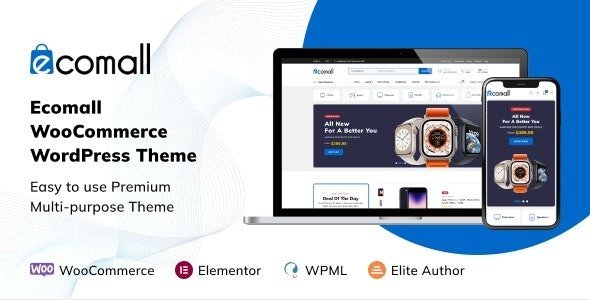
You do not have to drain your budget to get there either. At ThemesPluginHub you can access genuine premium WooCommerce themes, and the plugins that complement them, without the punishing retail price tags, all under proper GPL licensing that lets you use them across unlimited sites. Whether you are launching your very first shop or upgrading an established one, the right theme is waiting for you. Take a moment to browse our shop and explore the featured store themes below, and when you are ready to unlock the full library for one predictable fee, our membership plans give you unlimited downloads and enormous savings. Your next high-converting store starts with the theme you choose today, so choose deliberately and build something you will be proud of.