 INR (₹)
 USD ($)
Your work is visual, so your website has exactly one job: to make images look breathtaking on every screen they land on. For photographers, the theme you build on is not a cosmetic afterthought — it is the frame around every frame you have ever shot. A cluttered layout, a slow-loading gallery, or a template that crushes your colours into muddy JPEGs will quietly undo years of craft. The right theme does the opposite. It disappears, leaving only your pictures, your story, and a clear path for a visitor to hire you, buy a print, or book a shoot. This guide walks through everything that separates a merely pretty template from a genuinely great one, so you can choose a foundation that serves your photography business for years rather than months.
Whether you shoot weddings, newborns, landscapes, food, fashion, real estate, or fine art, the underlying needs are surprisingly consistent: fast-loading galleries, honest colour, generous whitespace, mobile fluency, and a handful of business-minded features like client proofing and print sales. Below, we break down the features that matter, the use cases that shape your decision, the difference between free and premium, and the specific advantages of choosing GPL-licensed themes from a marketplace like ThemesPluginHub. By the end, you will have a practical checklist you can carry into any theme demo and a clear sense of which mistakes quietly cost photographers clients every day.
Why Choosing the Right Photography Theme Matters
Most industries can hide behind text. A consultancy, a law firm, or a software company can lean on words, testimonials, and a tidy contact form. Photographers cannot. The moment a visitor lands on your homepage, they are judging your eye — and by extension your professionalism, your price bracket, and whether they trust you with their wedding day or their brand campaign. The theme is the vessel that carries that first impression. If it renders your hero image in half a second at full fidelity, you have already won half the battle. If it stutters, letterboxes your composition, or introduces a garish sidebar, you have lost credibility before a single word is read.
There is also a hard commercial reality underneath the aesthetics. Search engines now weigh page experience heavily, and image-rich sites are the most likely to suffer on speed. A theme that lazy-loads intelligently, serves modern image formats, and keeps its code lean will rank better and convert better than a bloated one, no matter how beautiful the demo looks. Google's Core Web Vitals — the metrics that measure loading, interactivity, and visual stability — are unforgiving of heavy galleries built carelessly. Choosing a theme engineered for imagery is therefore not vanity; it is a direct investment in visibility and bookings.
Finally, the theme shapes how you work day to day. A well-built photography theme lets you publish a new gallery in minutes, deliver a client's proofs behind a password, and update your portfolio from your phone between shoots. A poorly built one turns every update into a wrestling match with clunky settings and fragile shortcodes. Because you will live inside this system for years, the friction — or the ease — compounds. The right choice pays you back every single week.
A photographer's website is not a brochure that sits still. It is a living gallery that must load instantly, adapt to any device, and quietly guide a stranger from admiration to enquiry.
Key Features to Look For in a Photography Theme
Not every feature marketed on a theme's sales page actually matters to a working photographer. Some are genuine differentiators; others are filler designed to pad a feature list. Before you shortlist any photography themes, here is what deserves your attention, and why.
Gallery and Portfolio Systems
The gallery is the heart of any photography theme, so scrutinise it closely. Look for multiple layout options — masonry, justified grids, uniform squares, full-width mosaics, and slider carousels — because different bodies of work demand different arrangements. A tight editorial series may sing in a justified grid where every row aligns perfectly, while a landscape portfolio might breathe better as full-bleed images stacked vertically. The best themes also offer filterable portfolios, letting visitors sort by category (weddings, portraits, travel) without leaving the page. A well-built lightbox — the overlay that opens when someone clicks an image — should support swipe gestures, keyboard navigation, captions, and smooth transitions that never feel jarring.
Image Quality, Retina, and Colour Fidelity
High-resolution displays are now the norm, so a theme must serve retina-ready images that stay razor-sharp on 4K and 5K screens. Equally important is how the theme compresses and resizes your uploads. Aggressive, low-quality compression will destroy the tonal subtleties you worked hard to capture. Favour themes that let you control image quality, generate appropriately sized versions for each viewport, and pass images through cleanly rather than baking in heavy-handed filters. If a demo's sample photos look slightly soft or over-compressed, treat that as a warning sign about how your own work will appear.
Performance and Speed
Galleries are heavy by nature, so performance engineering is non-negotiable. Prioritise themes that support native or plugin-friendly lazy loading, so images below the fold only download as the visitor scrolls. Look for compatibility with modern formats like WebP and AVIF, which cut file sizes dramatically without visible quality loss. Clean, minimal code — free of dozens of bundled scripts you will never use — keeps your site nimble. A fast photography site is not just a technical nicety; it is the difference between a visitor who lingers through your whole portfolio and one who bounces before the second image loads.
Full-Screen and Immersive Layouts
Many photographers want their work to fill the entire viewport, edge to edge, with minimal chrome. Strong themes offer full-screen sliders, full-height hero sections, and distraction-free single-image views. The best of these are also thoughtful about typography and navigation, keeping menus subtle and legible so they never fight the imagery. Immersive does not mean chaotic — it means the interface recedes and the photograph dominates.
Client Proofing and Private Galleries
For working professionals, the ability to deliver images privately is transformative. Look for themes that support password-protected galleries, client-specific pages, and — ideally through an integration — proofing workflows where clients can favourite, comment on, and select images for final delivery. This turns your website from a shop window into a delivery platform, saving you the cost and clutter of a separate proofing service.
E-Commerce and Print Sales
If you sell prints, digital downloads, or session packages, WooCommerce compatibility is essential. A photography theme that integrates cleanly with WooCommerce lets you attach a buy button to any image, offer multiple print sizes and finishes, and handle payments without bolting on an awkward third-party cart. Some themes go further with print-lab integrations or automatic fulfilment. Even if you are not selling today, choosing a theme that can grow into commerce protects you from a painful migration later.
Image Protection
Your photographs are your inventory, and the web makes copying trivially easy. Themes that offer right-click disabling, drag protection, and automatic or manual watermarking give you a first line of defence. None of these are bulletproof against a determined thief, but they raise the friction enough to deter casual saving and reposting, which is usually where leakage happens.
Mobile Responsiveness
More than half of your visitors will arrive on a phone, so a theme must be flawlessly responsive. Galleries should reflow gracefully into single columns, lightboxes should respond to touch, and hero images should reframe intelligently rather than cropping out your subject. Test any theme's demo on your own phone before committing; a layout that dazzles on desktop can fall apart on a five-inch screen.
Page Builder and Customisation
Compatibility with a popular page builder — Elementor, in particular, but also the native WordPress block editor — gives you the freedom to design pages without touching code. This matters when you want a distinctive about page, a tailored contact layout, or a landing page for a seasonal offer. Themes that ship with pre-designed templates and demo content also let you launch quickly, then refine at your own pace.
SEO and Structured Data
Image SEO is a discipline of its own. A capable theme outputs clean, semantic markup, supports descriptive alt text, and plays well with SEO plugins so your galleries can surface in image search. Structured data for articles, breadcrumbs, and organisation details helps search engines understand your site. Since photographers compete fiercely in local search — "wedding photographer Manchester", say — this technical foundation directly affects how often you are found.
Top Use Cases: Who Needs a Photography Theme?
The phrase "photography theme" covers a surprisingly broad family of needs. Understanding which camp you fall into helps you weight the features above correctly.
Wedding and Event Photographers
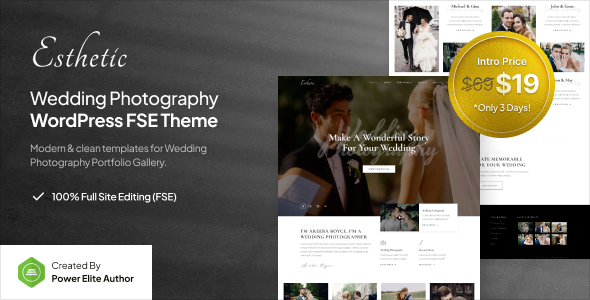
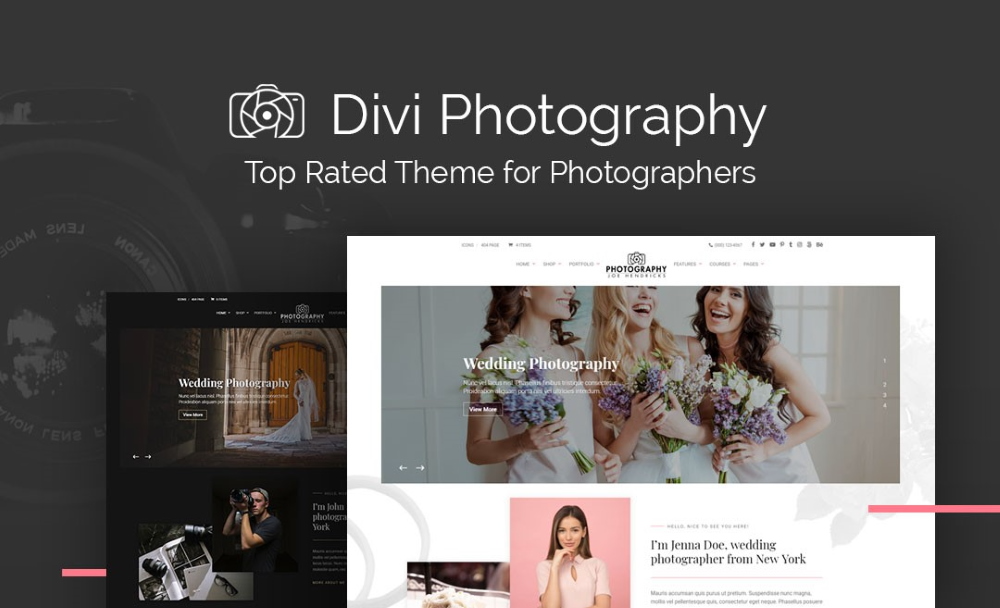
Wedding photographers live and die by emotion and volume. They need large, immersive galleries that convey the feeling of a day, plus private client galleries for delivering hundreds of edited images. Booking enquiry forms, testimonial sections, and package pages that pre-qualify couples are all valuable. Because weddings are a high-trust, high-value purchase, the site must feel polished and reassuring above all.
Portrait and Studio Photographers
Portrait and studio businesses often juggle multiple session types — newborn, family, corporate headshots, maternity. They benefit from filterable portfolios, clear service pages, integrated scheduling or booking, and a consistent visual identity that reflects the studio's brand. Client proofing is frequently central to their workflow.
Fine Art and Landscape Photographers
For fine art and landscape work, the photograph is the product. These photographers prioritise print sales, full-screen presentation, colour fidelity, and generous whitespace that lets each piece stand alone like a gallery wall. E-commerce with multiple print sizes, framing options, and limited-edition controls is often the commercial engine.
Commercial, Product, and Food Photographers
Commercial photographers sell to brands and agencies, so their sites function as credibility-building portfolios. Clean, categorised project galleries, client logos, case-study-style layouts, and an easy path to a professional enquiry matter more than print carts. Fast loading is critical because art directors browse quickly and judge harshly.
Travel and Documentary Photographers
Travel and documentary shooters often blend imagery with storytelling, so strong blog and long-form article support is key. They want map integrations, story-driven layouts where text and images interweave, and social sharing to build an audience. Many also monetise through prints, workshops, or licensing.
Photography Studios and Agencies
Multi-photographer studios and agencies need team pages, multiple portfolio streams, robust service and pricing pages, and often booking systems that route enquiries to the right specialist. Scalability and clear information architecture take priority over any single flashy gallery.
How to Choose the Best Photography Theme
With the landscape mapped, choosing well becomes a matter of disciplined evaluation rather than falling for the prettiest demo. Work through the following steps in order.
Start With Your Business Model, Not the Design
Before you look at a single template, write down what your website must accomplish: showcase a portfolio, capture enquiries, deliver client proofs, sell prints, publish stories, or some combination. This list becomes your filter. A gorgeous theme that cannot handle print sales is worthless to a fine art seller, however seductive its demo. Let function drive the shortlist, then let taste choose among the survivors.
Interrogate the Demo Like a Visitor
Open the live demo and behave like a sceptical client. How fast does the homepage load? Does the gallery feel smooth or laggy? Can you find the enquiry or booking path within seconds? Then open the same demo on your phone. A theme that only impresses on a large desktop monitor is a liability, because your real audience is mixed and mobile-heavy.
Test Speed With Real Tools
Run the demo through a free performance tool such as PageSpeed Insights or GTmetrix. Photography themes are notorious for heavy homepages, so you want to see how the developer has handled the inevitable image load. A theme that scores respectably even with a full-screen slider demonstrates genuine engineering rather than decorative polish.
Check the Update and Support History
WordPress, PHP, and the major plugins evolve constantly. A theme last updated two years ago is a risk: it may break with the next WordPress release or harbour unpatched vulnerabilities. Favour themes with a recent, consistent update record. When you download from a curated GPL marketplace, look for how current the version is and whether updates are supplied promptly.
Verify Plugin Compatibility
Confirm that the theme works with the plugins your workflow depends on — WooCommerce for sales, your preferred gallery or proofing plugin, an SEO plugin, a booking or forms plugin, and your page builder of choice. A theme that assumes a proprietary ecosystem can trap you; one built on open, popular standards keeps your options open.
Weigh Flexibility Against Simplicity
There is a genuine tension between a theme that does everything and one that is easy to run. A hyper-configurable theme can overwhelm you with settings you will never touch, while a minimal one may feel limiting as you grow. Match the complexity to your comfort. If you are not technical, a clean theme with sensible defaults and good demo content will serve you better than a sprawling multipurpose behemoth.
Free vs Premium — and the GPL Advantage
Once you have a shortlist, the question of cost arrives. Photographers frequently start with free themes from the WordPress repository, and there are decent options there. But it is worth understanding exactly what you gain — and what you give up — at each tier, and why the GPL licence changes the maths entirely.
What Free Themes Give You
Free themes are a reasonable way to learn the ropes and launch something quickly at zero cost. The trade-offs are real, though. Free options tend to offer fewer gallery layouts, limited customisation, little or no dedicated support, and slower update cycles. Many are deliberately hobbled to nudge you toward a paid upgrade, with the most useful features — advanced galleries, WooCommerce styling, proofing — locked behind a pro version. For a hobbyist, free is fine. For a business whose website is its shopfront, the limitations bite quickly.
What Premium Themes Add
Premium photography themes typically deliver richer gallery systems, polished full-screen layouts, deep e-commerce styling, built-in proofing or booking integrations, one-click demo imports, and — crucially — documentation and support. You are paying not only for features but for the developer's ongoing attention: bug fixes, compatibility updates, and security patches. For a working photographer, that reliability is often worth more than any single feature.
The GPL Advantage Explained
Here is where a GPL marketplace like ThemesPluginHub reshapes the decision. Nearly every commercial WordPress theme and plugin is released under the GNU General Public License (GPL), the same open-source licence WordPress itself uses. The GPL guarantees you the freedom to use, modify, and install the software on as many sites as you like. That freedom is not a loophole; it is the deliberate legal foundation of the WordPress ecosystem.
What this means in practice is that you can access the same premium, feature-complete themes — the identical files a developer sells directly — through a GPL marketplace at a fraction of the cost, often bundled into an affordable membership. Instead of paying a separate licence fee for every theme and plugin you want to try, you get broad access under one plan. For photographers who like to experiment, run multiple sites, or manage projects for clients, the savings compound rapidly. You can browse our shop to see the range, or look at membership plans that unlock the entire library.
The GPL is not a discount hack. It is the licence WordPress is built on, which is precisely why using GPL themes is both entirely legitimate and enormously cost-effective.
Understanding the Savings
Consider a photographer building a portfolio site who also wants a gallery plugin, a booking plugin, and a WooCommerce extension for print variations. Bought individually and direct, those four pieces could easily run into a few hundred dollars in first-year licences, then recurring renewals thereafter. Through a GPL membership, that same stack — plus the freedom to try alternatives before committing — sits inside a single, far smaller annual cost. The table below illustrates the general shape of the difference.
| Approach | Typical Cost Structure | Number of Sites | Access to Add-ons | Best For |
|---|---|---|---|---|
| Free repository theme | Free, upsell to pro | Unlimited, but limited features | Usually locked behind pro | Hobbyists and first sites |
| Direct premium licence | Per-theme fee plus annual renewal | Often one to a few sites per licence | Each add-on purchased separately | Single-site professionals wanting direct support |
| GPL single item | Low one-time price per item | Unlimited under GPL | Buy items as needed | Trying a specific theme affordably |
| GPL membership | One flat plan for the whole library | Unlimited under GPL | Full library included | Photographers running or building multiple sites |
The point is not that free is bad or that direct purchases are wrong — each has its place. The point is that the GPL gives you a legitimate route to premium quality without the premium lock-in, and for anyone treating photography as a business rather than a pastime, that flexibility is genuinely valuable.
The Photographer's Buyer's Checklist
Print this list, or keep it open in a tab, and run every candidate theme through it before you commit. If a theme fails several of these, keep looking.
- Gallery variety: Does it offer masonry, justified grid, full-width, and slider layouts, not just one style?
- Lightbox quality: Is the image overlay smooth, swipe-friendly, and keyboard-navigable with caption support?
- Retina and high-res: Do sample images stay crisp on a high-density display without softening?
- Speed: Does the demo load quickly and score reasonably on a performance test despite heavy imagery?
- Lazy loading and modern formats: Does it support deferred image loading and WebP or AVIF?
- Mobile fidelity: Does the layout reflow cleanly and keep subjects framed on a phone?
- Client proofing: Can you create password-protected or private galleries for delivery?
- E-commerce readiness: Is it WooCommerce-compatible for prints, downloads, or packages?
- Image protection: Does it offer right-click disabling and watermark options?
- Page builder support: Does it work with Elementor or the block editor and ship demo content?
- SEO foundations: Clean markup, alt-text support, and compatibility with major SEO plugins?
- Booking and forms: Can it handle enquiry forms or scheduling for sessions?
- Update record: Has it been updated recently and consistently?
- Documentation: Is there clear setup guidance so you are not stuck on day one?
- Licence clarity: Is it GPL, giving you the freedom to use it across your projects?
Common Mistakes Photographers Make When Choosing a Theme
Even experienced photographers stumble here, usually by letting one factor dominate at the expense of the whole. Watch for these traps.
Choosing on Looks Alone
The most common error is falling for a stunning demo without checking what lies beneath. Demos are populated with professionally shot sample images and hosted on optimised servers, so of course they dazzle. Ask instead how the theme will perform with your images, on your hosting, once you have added the pages and plugins your business needs. Beauty that collapses under real-world weight is no bargain.
Ignoring Performance Until It Is Too Late
Photographers routinely upload enormous, uncompressed files and then wonder why their site crawls. The theme is only half the equation, but choosing one that lacks lazy loading and modern format support makes the problem far worse. Treat speed as a headline criterion, not an afterthought you will "optimise later". Later rarely comes, and by then your rankings have already suffered.
Overloading With Features You Will Never Use
Multipurpose themes that promise to build any kind of site often carry a heavy price in bloat and complexity. A photographer rarely needs a restaurant menu module, an events calendar, and a real-estate listing system bundled into one theme. Every unused feature is code that still loads, still needs updating, and still widens the attack surface. Prefer a focused photography theme over a sprawling everything-theme.
Forgetting About Client Delivery and Sales
It is easy to design a beautiful portfolio and forget that the site must also do business. If proofing, enquiries, or print sales are part of your model, bolting them on afterwards to a theme that was never built for them creates a clumsy, disjointed experience. Decide on your commercial needs up front and choose accordingly.
Neglecting Mobile
Designing entirely on a large monitor and never checking the phone view is a costly habit. Since the majority of first visits are mobile, a layout that only works on desktop effectively hides your work from most of your audience. Always evaluate — and later build — with mobile as an equal partner, not a downgrade.
Overlooking Updates and Security
A theme is not a one-time purchase you can forget. Abandoned themes become security liabilities and eventually break. Photographers who install a theme and never think about updates again are gambling with their site's stability and their clients' trust. Choose actively maintained themes and keep them current.
Skipping the Backup Habit
Related to the above: many photographers change themes or update plugins without a backup, then lose a carefully arranged portfolio to a single bad click. Before you install, switch, or update anything significant, take a full backup. It is the cheapest insurance in web publishing and the one photographers most often skip.
Frequently Asked Questions
Which is the best photography WordPress theme overall?
There is no single winner, because the best theme depends on what you shoot and how you make money. A wedding photographer's ideal — immersive galleries plus private client delivery — differs from a fine art seller's need for print-focused e-commerce, which differs again from a commercial shooter's credibility-first portfolio. Use the checklist in this guide to match features to your model. The best theme is the one that scores highest against your specific requirements while loading fast and looking clean, not the one with the longest feature list.
Are GPL themes legal and safe to use?
Yes. The GNU General Public License is the open-source licence WordPress itself is built on, and it explicitly grants the right to use, modify, and redistribute the software across unlimited sites. Downloading GPL themes and plugins from a reputable marketplace is entirely legitimate. The important caveat is to source them from a trusted provider that supplies clean, unmodified files and timely updates, so you avoid tampered downloads. A curated GPL marketplace exists precisely to give you that safety alongside the savings.
Do I really need a premium theme, or is a free one enough?
If photography is a hobby and you simply want a place to post images, a good free theme can be perfectly adequate. If it is a business, the limitations of free themes — fewer gallery options, weak or absent support, slower updates, and features locked behind upgrades — tend to hold you back quickly. Premium themes deliver the galleries, commerce styling, and reliability a professional site needs. The GPL route lets you access that premium quality affordably, which is often the sweet spot for growing photographers.
How do I keep my photography site fast when galleries are so heavy?
Start by choosing a theme with lazy loading and support for modern formats like WebP. Then do your part: resize and compress images before uploading rather than dumping full-resolution files straight from the camera, use a caching plugin, and consider a content delivery network to serve images from servers near your visitors. A performance-minded theme sets the ceiling for how fast your site can be, but your image discipline determines whether you actually reach it.
Can I sell prints and digital downloads through a photography theme?
Yes, provided the theme is WooCommerce-compatible, which the better photography themes are. WooCommerce lets you attach purchase options to images, offer multiple print sizes and finishes, sell digital downloads, and take payments securely. Some themes add print-lab integrations for automatic fulfilment. If selling is part of your plan — even a future one — choose a commerce-ready theme now to avoid a disruptive migration later.
How often should I change or update my photography theme?
You should update the theme whenever the developer releases a new version, since updates carry security patches and compatibility fixes; do this promptly but always after taking a backup. Changing themes entirely is a bigger decision and should be driven by need, not novelty — a redesign because your brand has evolved, or a switch because your current theme can no longer support how your business works. As a rule, update often, but only migrate when there is a genuine reason.
Bringing It All Together
Choosing a photography theme is really an exercise in respecting your own work. Every decision in this guide — favouring genuine gallery variety over gimmicks, weighing speed as heavily as beauty, insisting on mobile fidelity, planning for proofing and sales, and choosing actively maintained, GPL-licensed software — comes back to one principle: the technology should vanish so the photographs can speak. Get that right and your website becomes a quiet, tireless salesperson, showing your best frames to the right people at the moment they are ready to hire or buy.
Approach the choice methodically. Define your business model first, shortlist themes that can actually serve it, then interrogate each demo for speed, mobile behaviour, and gallery quality before you fall for the aesthetics. Run your buyer's checklist without sentiment. Avoid the classic traps of choosing on looks alone, ignoring performance, and forgetting that the site must do business as well as show art. Do that, and you will land on a foundation that carries your photography brand confidently for years rather than one you regret within months.
When you are ready to see real options, explore the curated collection of premium, GPL-licensed photography themes at ThemesPluginHub. You can browse our shop to pick up an individual theme or plugin, or unlock the entire library — themes, galleries, commerce extensions, and more — through our flexible membership plans. It is the most cost-effective way to build the portfolio your images deserve, with the freedom to experiment, grow, and never be held back by a licence fee again. Your best work has always deserved a beautiful frame. Now you can give it one without overpaying for the privilege.